
LCF - Lower Hall
The Mixer
1 - ( Master Fader )
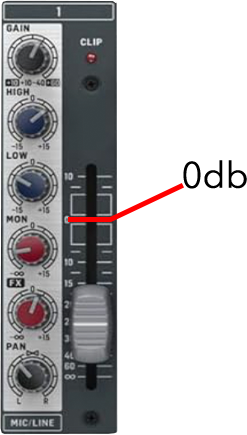
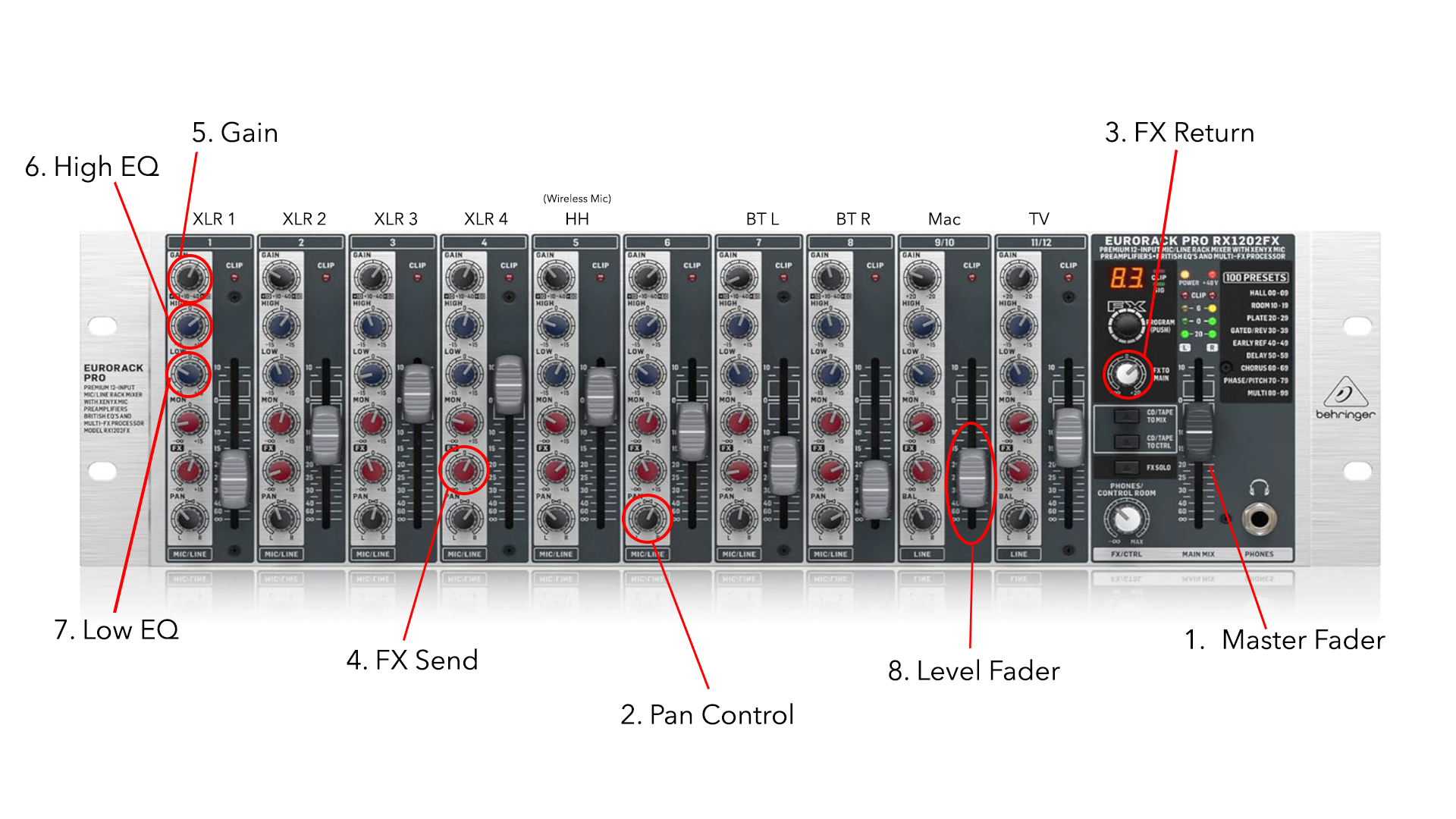
The master fader is simply the overall volume control for everything being sent to the output. This as a starting point should be left at the 0db mark.
2 - ( Pan Control )
The Pan knob lets you move the audio to come out more or less of the Left Speaker or Right Speaker. For what we are doing regularly in the lower hall, this is not something that should be changed. The correct position for audio to come evenly out of both speakers would be pointing to 12 o'clock.
3 - ( FX Return)
The FX Return knob is the output volume control for the built in effects unit (Reverb or Delay). This is rarely needed in the lower hall so this should be left off with the knob turned as far left as possible.
4- ( FX Send )
The effects send knob is located on every channel strip and controls the amount of volume from each channel that’s sent into the effects unit (Reverb or Delay). This again should not be used for normal use, so best to keep all these turned down with the knobs faced fully left.
5 - ( Gain )
The gain is very important. This is the level control of the signal as it enters the mixer. Set this with the fader down and have the source come in at its loudest, and adjust the gain so that, at the source’s loudest volume, the red clipping light on every channel (located to the right of the gain) isn’t ever on.
6 - ( High EQ )
The High EQ knob simply allows you to boost or cut the high end (Treble) of the channel.
- As a starting point it’s best to leave these both at 0 which is pointed straight up at 12 o'clock.
7 - ( Low EQ )
The Low EQ knob simply allows you to boost or cut the low end (Bass) of the channel.
- As a starting point it’s best to leave these both at 0 which is pointed straight up at 12 o'clock.
8 - ( Level Fader )
The level fader is how you control the volume of your input that’s being sent to the master, so feel free to adjust this to get the sound level you require.