
LCF - Lower Hall
Bluetooth
Using Bluetooth In the Lower Hall?
Here’s a quick guide on how to get started
Step 1: Ensure everything is powered on (Click Here).
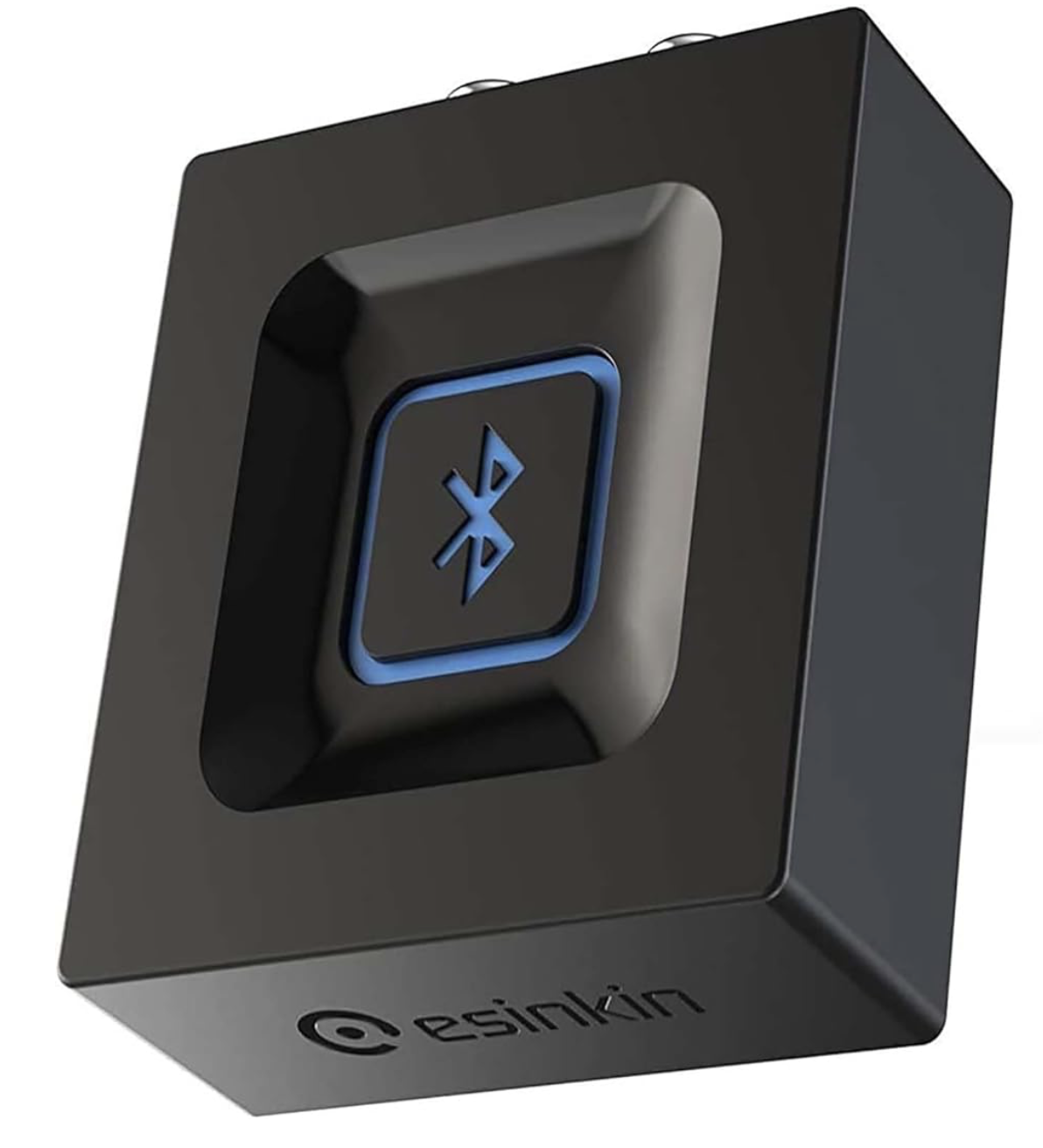
Step 2: On the Bluetooth receiver (as shown in image), press and hold the middle button on the device until a flashing blue light appears on the front of the device. This means Bluetooth pairing is on.
Step 3: On your device head to your settings -> Bluetooth settings.
Step 4: Ensure Bluetooth is enabled.
Step 5: Look for a device called ‘Esinkin Bluetooth’ and press it to connect.
Step 6: Once connected, take a look at the mixer in the audio rack and ensure the master fader and the BT fader is up. (Click here for more info on the mixer.)